
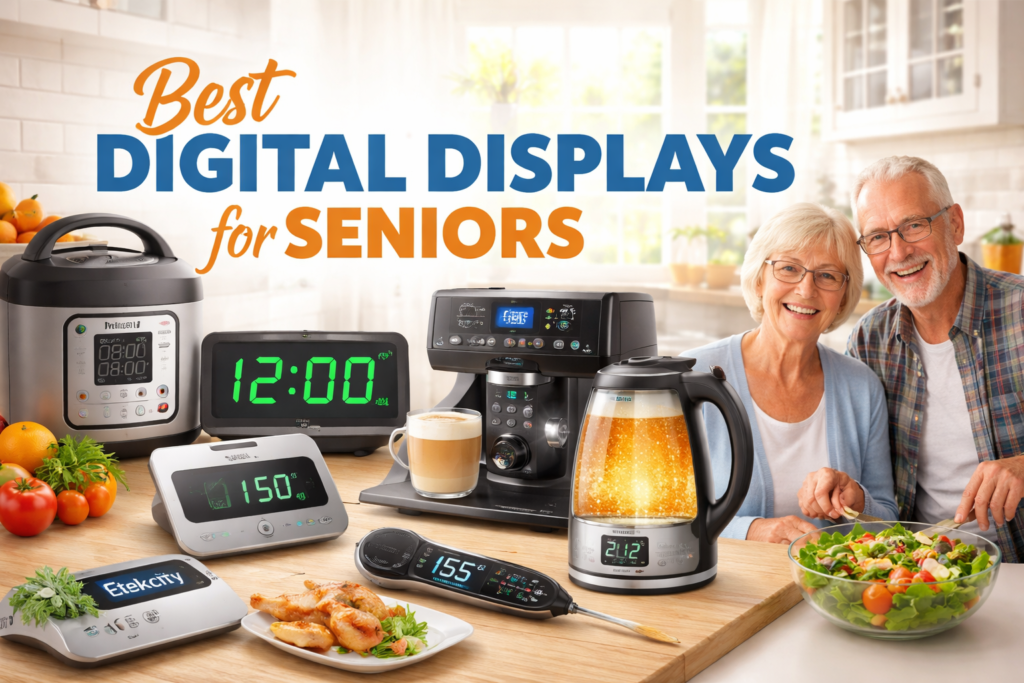
Digital displays are showing up everywhere in the modern kitchen—from air fryers and microwaves to coffee makers and induction cooktops. If you’re shopping for seniors (or upgrading an elderly kitchen for a parent), it’s smart to pause and weigh the pros and cons before choosing appliances with touchscreens, LED panels, or “smart” menus.
On the plus side, a clear screen can make cooking feel more confident: timers are easier to track, settings can be more precise, and some appliances even guide you step-by-step. For families, digital alerts and auto shutoff features can add peace of mind and help keep the kitchen more safe.
But digital displays can also create new frustrations. Small fonts, glare, hidden menus, and “tap-and-hold” gestures may be tough for older hands and eyes. A screen that’s too bright (or too dim) can be hard to read, and complicated settings can lead to mistakes—like selecting the wrong mode or missing a timer.
In this guide, we’ll break down the biggest benefits and drawbacks of digital displays, what features matter most for aging users, and how to choose appliances that stay simple, readable, and reliable.
These options tend to be easier to see and operate in an elderly kitchen—helpful for safety and daily confidence.


📎Comparison Table: Digital Displays in Senior Kitchens
| Product | Type | Key Features | Why it’s good for seniors | Buy it now |
|---|---|---|---|---|
| Mr. Coffee One-Touch CoffeeHouse+ Espresso/Cappuccino/Latte Maker | Coffee & Espresso Machine | One-touch drink buttons; simple panel; removable parts | Quick, fewer steps; easier day-to-day use; reduces confusion | |
| JOYHILL Digital Kitchen Timer (Large LED Display) | Digital Timer | Large LED digits; simple start/stop; easy placement (magnet/stand) | Easier to read at a glance; helps prevent overcooking; safer routines | |
| ThermoPro TP16 Digital Meat Thermometer | Meat Thermometer (Probe) | Large display; wired probe; alarms/presets | More accurate cooking; reduces under/overcooking risk; safer meats | |
| ThermoPro TP19H Instant-Read Thermometer | Instant-Read Thermometer | Backlit display; fast reading; simple buttons | Quick checks with less guesswork; helpful for low-vision cooking | |
| Etekcity Digital Kitchen Food Scale | Food Scale (Digital) | Backlit LCD; tare function; unit conversion | Easier portion control; supports diet needs; readable measurements | |
| Instant Pot Duo 7-in-1 Electric Pressure Cooker | Multi-Cooker (Digital) | Preset programs; keep-warm; clear timer/countdown | One-pot cooking; less stove time; built-in safety features | |
| PARIS RHÔNE Electric Kettle (Temp Control + LED Screen) | Electric Kettle (Digital) | LED temperature display; preset temps; auto shutoff/keep warm | Hot water with less risk; easier temperature control; safer for seniors | |
Detailed Reviews: Digital Displays That Make Senior Cooking Easier (and Safer)
Below are practical, senior-focused reviews of each pick—what the display is like in real life, what’s easy, what might be frustrating, and who it fits best. I’ll keep the focus on everyday comfort: readability, fewer steps, safer use, and less guessing in an elderly kitchen.
1) Mr. Coffee One-Touch CoffeeHouse+ Espresso/Cappuccino/Latte Maker
Alt-text suggestion: “Mr. Coffee one-touch coffee maker with digital display for seniors”
If your parent loves café-style drinks but doesn’t want a complicated machine, this one is a strong option. The main advantage is the one-touch operation: instead of remembering multiple steps, they can press a clearly labeled button for a latte, cappuccino, or espresso. In an elderly kitchen, fewer steps usually means less confusion—and more confidence.
- One-touch drink buttons reduce decision fatigue.
- Clear panel feedback helps confirm the selection.
- Great “treat” gift for parents who love coffee routines.
- More parts to rinse/clean than a basic drip machine.
- Needs counter space; not ideal for very small kitchens.
- Some seniors may still prefer a simpler one-button drip brewer.
Best for: Adult children buying a special coffee gift for a parent who wants simple café drinks without learning complicated menus.
2) JOYHILL Digital Kitchen Timer (Large LED Display)
Alt-text suggestion: “Large LED digital kitchen timer easy to read for seniors”
This is a small tool that can make a big difference for safety. A large LED timer is easier to read from across the kitchen, which matters when eyesight isn’t what it used to be. It also helps seniors avoid the classic problem: “I’ll just remember…” and then forgetting something in the oven or on the stove.
- Big digits are readable at a glance (helpful for low vision).
- Promotes safer routines—less overcooking/burning risk.
- Easy to place where it’s visible (fridge/counter/hood area).
- Some seniors dislike loud beeps (volume control varies by model).
- Buttons may feel small for arthritis (depends on hand comfort).
Best for: Any elderly kitchen where a simple timer can prevent “oops moments” and improve safety.
3) ThermoPro TP16 Digital Meat Thermometer (Probe Style)
Alt-text suggestion: “ThermoPro TP16 digital meat thermometer with large display for seniors”
For food safety, a thermometer is one of the most senior-friendly upgrades you can buy. The probe style lets your parent monitor temperature without repeatedly opening the oven (safer, and keeps heat stable). The digital readout removes guesswork—no more “it looks done.”
- Helps prevent undercooking—safer meals, especially poultry.
- Large readout is easier than tiny dial thermometers.
- Great for oven roasts, turkey, casseroles, and meal prep.
- Wired probe adds one setup step (still simple).
- Cord needs basic care to keep away from hot edges.
Best for: Seniors who cook meat in the oven and want clear, confidence-building doneness checks.
4) ThermoPro TP19H Instant-Read Thermometer (Backlit Display)
Alt-text suggestion: “Instant-read digital thermometer backlit display safe cooking for seniors”
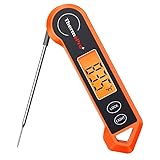
Instant-read thermometers are ideal for speed and simplicity. The backlit screen is the big win in a senior kitchen—especially under dim cabinets or during evening cooking. Less squinting means less strain and fewer mistakes.
- Fast readings reduce time handling hot food.
- Backlit display improves readability.
- Useful for stovetop cooking, reheating, and grilling.
- Requires holding the probe steady briefly.
- Small tool can be misplaced—store on a hook or magnetic strip.
Best for: Seniors who want quick checks for chicken, fish, soups, and leftovers—no guessing.
5) Etekcity Digital Kitchen Food Scale (Backlit LCD)
Alt-text suggestion: “Digital kitchen food scale with backlit LCD for seniors portion control”

A digital scale is especially helpful for older adults managing portion sizes or dietary goals. The backlit screen is easier to read than tiny markings on measuring cups, and the tare feature reduces mental math. It’s not just “nice to have”—for some seniors, it supports daily health routines.
- Backlit display is easier for aging eyes.
- Tare function simplifies cooking and reduces mistakes.
- Great for baking accuracy and portion control.
- Some seniors prefer not adding “extra steps” unless health-related.
- Large bowls can block the display—use a container that leaves the screen visible.
Best for: Seniors who bake, meal prep, or need simple portion control with a readable screen.
6) Instant Pot Duo 7-in-1 Electric Pressure Cooker (Digital)
Alt-text suggestion: “Instant Pot Duo digital display preset buttons safe cooking for seniors”

A multicooker can reduce stove babysitting—one of the biggest safety upgrades for an elderly kitchen. The display shows time/status, and presets reduce the need to remember exact heat levels. For seniors who tire easily, it can make dinner feel much more manageable.
- Preset programs simplify common meals (soups, rice, stews).
- Less time hovering near burners = safer daily cooking.
- Clear timer/status reduces anxiety and guessing.
- Many buttons can feel overwhelming at first.
- Heavier appliance—moving it often isn’t ideal for weak hands.
- Best when a family member sets it up once and notes favorite programs.
Best for: Seniors who like one-pot meals and want safer, lower-effort cooking with fewer stove tasks.
7) PARIS RHÔNE Electric Kettle (Temperature Control + LED Screen)
Alt-text suggestion: “Electric kettle with LED temperature display auto shutoff safe for seniors”

For tea lovers, an LED temperature screen and auto shutoff can be a very senior-friendly combination. The biggest win is safety: less time near steam and no worrying about forgetting a burner. The display helps confirm the setting without guessing.
- LED temperature display makes settings easier to confirm.
- Auto shutoff supports safer daily routines.
- Fast hot water for tea, oatmeal, and instant soups.
- Digital features may be unnecessary if your parent only wants “boil.”
- Some seniors prefer a single-switch kettle with no presets.
Best for: Seniors who drink tea daily and want a safer way to heat water than using a stovetop kettle.
Buying Guide: How to Choose Digital Displays That Are Truly Senior-Friendly
A digital display can be a blessing in an elderly kitchen—or a daily annoyance. The difference usually comes down to readability, simplicity, and safety features that reduce risky moments. Here’s what to check before you buy.
1) Readability comes first: big digits, strong contrast, low glare
- Large font size (easy to read from 2–6 feet away).
- High contrast (white on black, or bright digits on a dark background).
- Backlit screens for evening cooking.
- Matte or low-glare surfaces to reduce reflections from under-cabinet lights.
2) Fewer steps = fewer mistakes (the “one-touch” rule)
Seniors often do best with appliances that work in a predictable, one-touch way. If an appliance requires “Mode → Scroll → Confirm → Start,” that’s where errors creep in. When comparing the pros and cons of digital displays, remember: the display is only helpful if the workflow stays simple.
- Prefer dedicated buttons (Start/Stop/Timer) over hidden menus.
- Look for clear labels, not icons only.
- Avoid screens that require tap-and-hold gestures or “double taps.”
3) Hand comfort: buttons, knobs, and touch sensitivity
- Physical buttons are often easier than touchscreens for arthritis.
- Knobs with clicks can be easier than sliding controls.
- Touch panels should respond to a normal tap—no precise fingertip pressure.
4) Safety features that matter most for seniors
- Auto shutoff (kettles, irons, some appliances).
- Overheat protection and stable bases.
- Clear timer / countdown visible during cooking.
- Loud-but-not-shrill alerts (ideally with volume control).
5) “Failure-proof” use: what happens if they press the wrong thing?
The best senior-friendly designs forgive mistakes. Check reviews for issues like confusing presets, screens that time out too fast, or controls that reset easily. If you’re buying for a parent, prioritize the appliance that still works well even when used imperfectly.
6) Simple maintenance: screens and panels should be easy to wipe
- Look for panels that can be wiped with a damp cloth (no tiny grooves).
- Prefer appliances with removable parts that can be washed safely.
If you’re also upgrading other “everyday” senior kitchen tools, you may like this related guide on our site: senior-friendly kitchen tool recommendations.
FAQ: Digital Displays in Senior Kitchens
1) Are digital displays better than knobs for seniors?
It depends. Digital displays can be easier to read and give clear timing feedback, but knobs are often easier for arthritis and don’t require menu navigation. The best setup is usually a simple display + physical buttons/knob.
2) What’s the biggest safety benefit of digital displays?
The biggest benefit is usually the timer/countdown visibility—seniors can confirm what’s happening without guessing. Auto shutoff (especially for kettles) is another major safety plus.
3) What’s the most common downside for older adults?
The most common “cons” are small fonts, glare, and controls that require too many steps. If the display is hard to read or the menu is confusing, seniors may avoid using the appliance altogether.
4) Are touchscreens a bad idea for an elderly kitchen?
Not always, but they can be tricky. If your parent has shaky hands, reduced finger sensitivity, or arthritis, physical buttons are usually easier. If you choose a touchscreen, look for large icons, fast response, and minimal scrolling.
5) What features should adult children prioritize when buying for parents?
- Large, high-contrast display (or backlit screen)
- One-touch presets
- Auto shutoff / clear timer feedback
- Easy cleaning and predictable controls
6) How can I make a digital appliance easier for my parent to use?
Do a quick “setup session” once: choose 1–2 favorite programs, write them on a sticky note (or label maker), and place it on the cabinet door. This reduces confusion and makes the appliance feel familiar.
Conclusion: The Right Display Can Reduce Stress—The Wrong One Adds It
When you compare the pros and cons of digital displays, the goal is simple: fewer risky moments and less mental load. In a senior kitchen, the best digital display is easy to read, simple to operate, and supportive of safety.
If you’re buying for a parent, focus on the “daily wins”: one-touch controls, visible timers, and auto shutoff where it matters most. Small upgrades—like a large LED timer or a backlit thermometer—can make cooking feel confident again.