
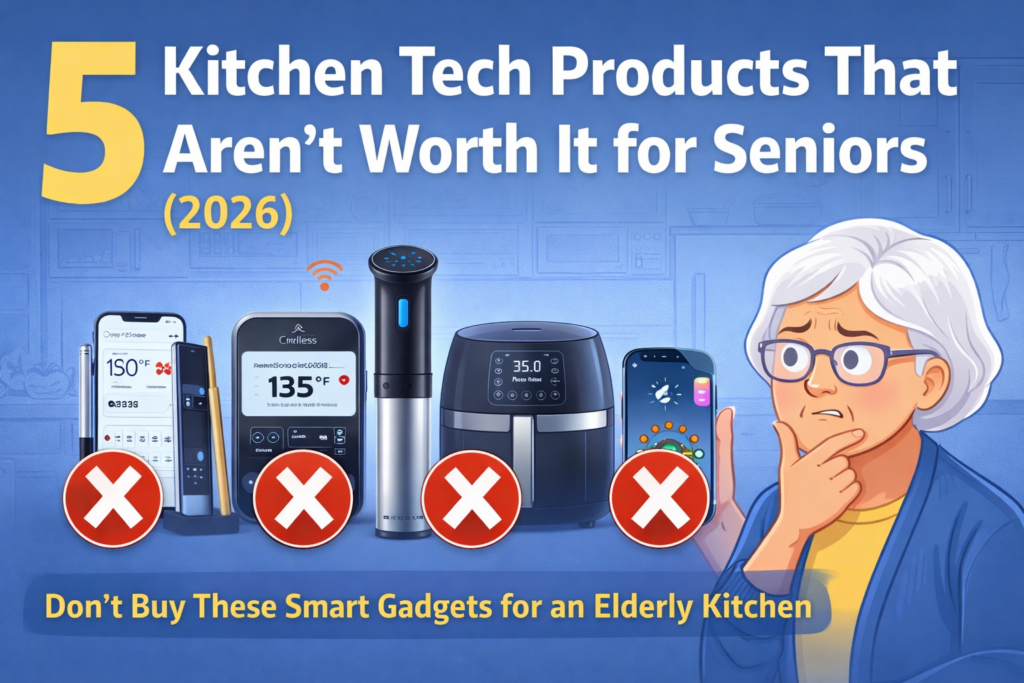
5 Kitchen Tech Products That Aren’t Worth It for Seniors
Not every “smart” gadget makes life easier—especially in an elderly kitchen where comfort, safety, and simplicity matter most. In 2026, there are more flashy kitchen devices than ever, but many of them create new headaches: tiny app buttons, confusing setup steps, loud motors, hard-to-clean parts, or features you’ll never actually use. If you’re shopping for seniors (or you’re a senior buying for yourself), it’s worth pausing before spending money on tech that looks impressive on Amazon… but ends up collecting dust.
In this guide, we’ll break down 5 kitchen tech categories that often disappoint older adults—and what to look for instead. The goal isn’t to “avoid technology.” The goal is to avoid technology that adds friction: extra steps, extra noise, extra cleaning, or extra risk (like slippery touchscreens or unreliable connectivity). A good senior-friendly appliance should feel obvious to use the first time, work reliably without Wi-Fi, and be easy on hands, eyes, and patience.
Quick Picks (Fast “Skip-It” List for Seniors)
These three “smart” gadgets often look impressive in 2026, but in a real elderly kitchen they can create extra steps (apps, pairing, cleaning) that aren’t ideal for seniors.

If a device requires Wi-Fi, pairing, or app updates just to do something basic, it’s usually not senior-friendly.

Too many parts + tight corners = more scrubbing, more reassembly, and more frustration for weak hands.
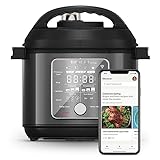
Paying extra for features that don’t improve safety or daily comfort often isn’t worth it in a senior kitchen.
Next, we’ll go item-by-item and explain what to choose instead (simple controls, easy cleaning, and no required Wi-Fi).
Comparison Table: 5 Kitchen Tech Products That Aren’t Worth It for Seniors (2026)
Here’s a quick side-by-side look at these 5 kitchen tech picks. The theme you’ll see again and again: when a gadget adds apps, pairing, charging, or complicated cleaning, it usually isn’t the best fit for seniors or a calm, practical elderly kitchen.
📎Comparison Table: 5 Kitchen Tech Products
| Product | Type | Key Features | Why | Buy it now |
|---|---|---|---|---|
| Wireless/App Meat Thermometer | Smart thermometer | Wireless probe; phone alerts; temperature tracking; rechargeable | Needs pairing + app + charging; small phone UI/notifications can frustrate seniors; more steps than an instant-read thermometer | |
| Wi-Fi Sous Vide Immersion Circulator | Sous vide cooker | Precise temperature control; app recipes; long, slow cooking | Too many steps (water bath + bagging + timing); extra cleanup; not “simple dinner” friendly for many seniors | |
| Smart Multi-Cooker/Pressure Cooker (Wi-Fi) | Multi-cooker | Multiple cooking modes; guided programs; app/touch controls | Menus can overwhelm; heavy inner pot; steam handling feels risky; “smart” features rarely help day-to-day ease | |
| Bluetooth Nutrition Food Scale | Smart scale | App food database; nutrition tracking; tare; rechargeable | If they won’t log meals daily, the smart features are wasted; pairing/app steps add friction in an elderly kitchen | |
| Smart Air Fryer with App/Voice Control | Smart air fryer | App/voice controls; presets; notifications | Smart controls add confusion without improving safety; cleaning is still the main work—simple dials/buttons are easier |
Detailed Reviews: Why These “Smart” Gadgets Often Disappoint (and What to Buy Instead)
1) Wireless/App Meat Thermometer (Often More Hassle Than Help)
A wireless, app-based meat thermometer sounds perfect: set the target temp, get alerts, walk away. But in a real-world elderly kitchen, this kind of device often creates new friction—pairing issues, Bluetooth drops, battery charging, and tiny app screens. In 2026, “smart” features are everywhere… but seniors usually want one simple button and a big, easy-to-read display.
Pros
- Hands-off monitoring once it’s connected
- Can reduce overcooking if everything works smoothly
- Useful for tech-comfortable users who already cook meat often
Cons
- Pairing + app steps can be confusing for seniors
- Another device to charge (and remember to charge)
- Phone notifications can be missed or annoying
Who this is (not) ideal for
- Skip it if your parent dislikes apps, struggles with small text, or wants “turn it on and go.”
- Only consider if they already enjoy tech + cook roasts/steaks regularly.
What to buy instead
A big-display instant-read thermometer (no pairing, no updates) is usually the better value and easier to use. It still solves the real problem—safe food temperature—without the “smart” overhead.
Customer Use Story (Linda, Phoenix, AZ):
“I bought a smart thermometer for my dad because he loves grilling. The first weekend was fine, but the next time the app needed an update and he couldn’t get the alerts working. We switched to a simple instant-read thermometer with a big screen, and he’s been happy ever since—no phone needed.”
2) Wi-Fi Sous Vide Cooker (Too Many Steps for Everyday Senior Cooking)
Sous vide can be amazing, but it’s not “set it and forget it” in the way most people imagine. It usually requires a water container, careful bagging, safe handling, longer cook times, and more cleanup. If your goal is to make cooking easier for seniors, sous vide often does the opposite—especially in a small, busy, or clutter-sensitive elderly kitchen.
Pros
- Precise temperature control
- Consistent results for specific recipes
- Can help prevent overcooking if used correctly
Cons
- Multi-step workflow (water bath + bagging + timing)
- Extra setup and storage (container, clips, bags)
- Not a “quick dinner” solution for most seniors
What to buy instead
For simpler, safer everyday meals, a basic slow cooker or easy-button multi-cooker (with clearly labeled physical controls) is usually far more senior-friendly.
3) Smart Wi-Fi Multi-Cooker (Feature Overload + Heavy Handling)
A “smart” multi-cooker promises to replace several appliances, but many models lean heavily on touchscreens, guided app steps, and deep menus. For many older adults, that’s cognitive overload—too many modes, too many options, and too much uncertainty. Also, multi-cookers often have a heavy inner pot and involve steam/pressure handling, which can feel intimidating in an elderly kitchen.
Pros
- Versatile (rice, soup, sauté, pressure cooking, etc.)
- Can reduce stovetop time for some recipes
- Helpful for experienced users who cook often
Cons
- Menus can overwhelm and slow down simple tasks
- Touchscreens can be hard to read and tap accurately
- Heavy pot + steam handling may feel risky for seniors
What to buy instead
If your parent wants convenience, choose a cooker with big physical buttons, a clear display, and a “few reliable modes” rather than 20+ confusing ones. Even better: consider a dedicated rice cooker or slow cooker if that’s what they actually use most.
4) Bluetooth Nutrition Food Scale (Great Idea, But the App Is the Whole Work)

Smart nutrition scales are designed for logging—connecting to an app, choosing foods from a database, and tracking macros/calories. That can be useful for some people, but for many seniors it becomes a chore: open the app, connect Bluetooth, pick the right food entry, confirm serving size, repeat… every meal. If your parent won’t truly use the app daily, this is one of those 5 kitchen tech purchases that tends to sit in a drawer by 2026.
Pros
- Detailed tracking for motivated users
- Can support nutrition goals if used consistently
- Useful for caregivers who actively log meals
Cons
- App steps add friction (pairing, searching, confirming)
- Small screens and data entry aren’t senior-friendly
- “Smart” benefits disappear if they stop logging
What to buy instead
A simple digital kitchen scale with large backlit numbers and an easy tare button is often the best fit for seniors. It supports portioning and recipes without turning meals into “tech work.”
Customer Use Story (Marcus, Columbus, OH):
“My mom wanted to ‘eat healthier,’ so I bought a smart nutrition scale. She used it for three days, then stopped because the app felt like homework. We replaced it with a regular scale with big numbers, and she still uses it for baking and portions.”
5) Smart Air Fryer with App/Voice Control (Cool Features, Little Real Benefit)

Air fryers can be fantastic—crispy food with less oil. But the “smart” versions often add app control, voice assistants, and notifications that don’t actually make cooking safer or easier. Most seniors just want two things: simple temperature/time controls and a basket that’s easy to clean. If the smart features make controls harder to understand, the device becomes more frustrating than helpful in an elderly kitchen.
Pros
- Cooking results can be great (like any good air fryer)
- Presets can help if they’re clearly labeled
- Useful for tech-friendly users who enjoy app control
Cons
- Smart controls can confuse more than they help
- App/voice features don’t reduce cleaning effort
- Touch controls may be harder than a dial/button
What to buy instead
Look for a straightforward air fryer with big physical buttons or a simple dial, plus an easy-release basket and dishwasher-safe parts. Those practical features matter more than Wi-Fi in 2026.
Related: if your parent prefers truly simple appliances, you may also like our guide to one-touch coffee makers for seniors.
Buying Guide (2026): What Actually Matters for Seniors in the Kitchen
When people shop for “smart” gadgets, they often focus on features like Wi-Fi, voice control, or app recipes. But in a real elderly kitchen, those features can add friction instead of comfort. If you’re buying for seniors, here are the senior-friendly priorities that matter more than “smart.”
1) Simple controls beat smart controls
- Big physical buttons or an easy dial are usually better than a touchscreen.
- A good rule: if someone needs a phone to start cooking, it’s rarely senior-friendly.
- Look for clear labels, not tiny icons.
2) Easy cleaning matters more than extra features
- Fewer parts = less assembly and less frustration.
- Prefer dishwasher-safe parts and smooth surfaces (fewer tight corners).
- For weak hands, avoid gadgets that require strong twisting, pinching, or tight locking.
3) Safety features should be “built-in,” not “added later”
- Auto shutoff and overheat protection are more valuable than app notifications.
- Stable base + non-slip feet help reduce spills.
- Cool-touch handles and easy-grip knobs are underrated.
4) Consider vision + hearing comfort
- Large, high-contrast display (bright numbers on dark background).
- Avoid loud beeps or devices that rely on tiny indicator lights.
- Choose appliances with simple “done” signals and obvious status indicators.
5) The “No Required Wi-Fi” test
Many of the worst 5 kitchen tech purchases fail this test: if the device works poorly without an app, it’s often not the best fit for seniors. In 2026, the best tech is the kind you barely notice—because it just works.
If you’re building a safer setup at home, you may also like: electric kettles with auto shutoff for seniors.
FAQ: Kitchen Tech for Seniors (What Buyers Ask Most)
1) Is “smart” kitchen tech ever a good idea for seniors?
Yes—when it’s truly simple. If the smart feature saves steps (not adds steps) and the device still works perfectly without a phone, it can be great for seniors. The problem is when the “smart” part becomes the main work.
2) My parent loves gadgets. Which of these might still be okay?
If your parent is tech-comfortable, the wireless thermometer category can be useful. But choose it only if they already enjoy using phone apps and don’t mind charging devices.
3) What’s the biggest red flag when shopping in 2026?
Anything that requires pairing, accounts, or frequent app updates to do basic cooking tasks. In an elderly kitchen, reliability beats “features.”
4) Are touchscreens bad for seniors?
Not always, but they can be harder with dry fingertips, shaky hands, or vision changes. Physical buttons provide better feedback and are easier to use without mistakes.
5) What should I prioritize if my parent has arthritis?
Choose lighter appliances, easy-grip handles, fewer parts to assemble, and simple controls. Cleaning should be easy—because painful cleanup often means the product won’t get used.
6) If I already bought one of these, how can I make it easier for my parent?
Do the setup once for them (pairing, updates, presets), print a short one-page “how to use” cheat sheet, and disable unnecessary notifications. The goal is to reduce steps and reduce stress.
Conclusion: Skip the Feature Overload, Choose Ease and Safety
The biggest lesson from these 5 kitchen tech products is simple: “smart” isn’t automatically better for seniors. In a practical elderly kitchen, the best tools are the ones that feel obvious—big buttons, easy cleaning, stable design, and safety features that work without Wi-Fi.
If you’re shopping in 2026 for an older parent, aim for fewer steps and fewer parts. That’s how you get more real cooking—and fewer gadgets sitting unused in a cabinet.
Want to check the current price anyway?
If one of these matches your parent’s comfort level (especially tech-friendly seniors), you can check current pricing here:
Next read: one-touch coffee makers for seniors (simple controls, low effort, daily-use friendly).