
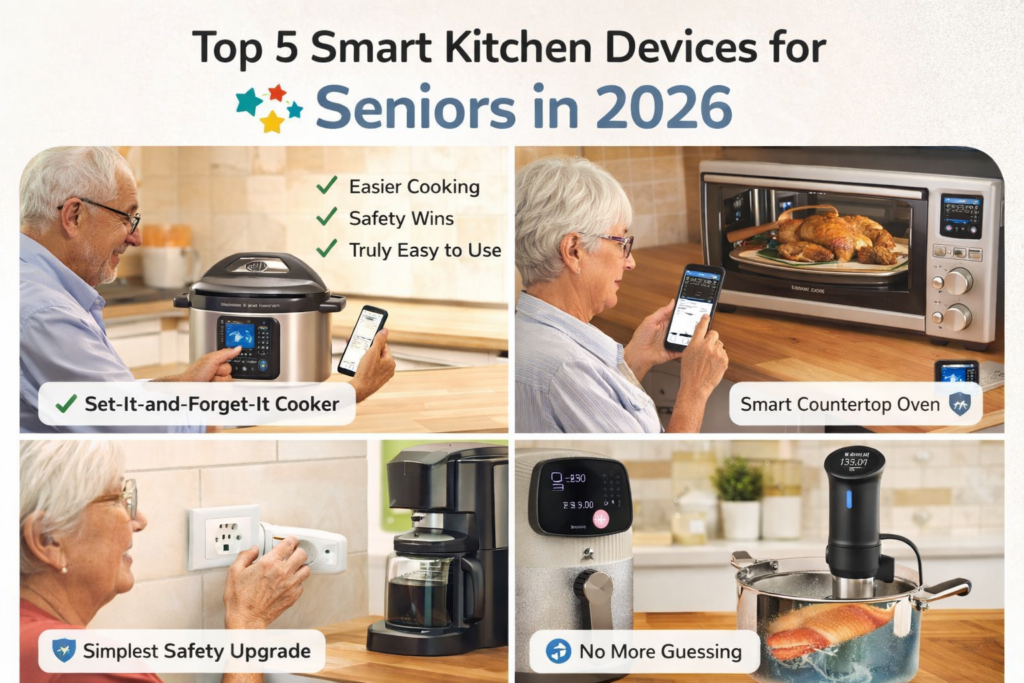
This article contains affiliate links. As an Amazon Associate I earn from qualifying purchases.
Top 5 Smart Kitchen Devices for Elderly People (2026)
If you’re shopping for an older parent or upgrading your own kitchen, the goal is not simply more technology. It is a routine that feels manageable: controls the person can see and operate, parts they can lift safely, and cleanup they are willing to do after a meal. This guide to 5 smart kitchen devices for seniors is a decision guide, not a substitute for each manufacturer’s instructions. Check the exact current model, its manual, kitchen space, and the person’s comfort with setup before buying.
Smart features can be useful only when they support a familiar, safe routine. A timer, a clear status display, or an optional alert may help a cook keep track of a meal, but none replaces supervision, food-safety guidance, or the appliance instructions. For seniors with reduced grip strength, lower vision, hearing changes, or a preference for simple routines, prioritize a device that can be understood at the counter without relying on a phone.
For any device on this list, inspect the exact model rather than assuming that a feature appears on every version. Useful checks include whether labels are readable in the home’s lighting, whether the daily task can be completed with a few deliberate steps, whether a hot or heavy part must be moved, and how the manufacturer says to clean it. The buying guide below helps an older adult or an adult child compare those practical questions before choosing.
Want to make the whole cooking space safer—not just the gadgets? Here’s a helpful internal guide: How to Organize a Senior-Friendly Kitchen.
Quick Picks (Most Helpful for Seniors)
Three devices to compare first—choose only after confirming the exact model’s controls, setup requirements, and care instructions.

📎Comparison Table: Top 5 Smart Kitchen Devices
| Product | Type | Key Features | Why | Buy it now |
|---|---|---|---|---|
| Instant Pot Pro Plus Wi-Fi Smart 10-in-1 (6 Qt) | Smart multicooker | App-guided recipes Hands-off cooking programs Quieter steam release (Pro Plus) | Great for safer meals with fewer steps; reduces “hovering” at the stove. | |
| COSORI Smart 12-in-1 Air Fryer Toaster Oven Combo (26QT) | Smart air fryer oven | App control + presets Large-capacity countertop oven Crispy cooking with less oil | Presets make cooking more consistent and easier to learn for seniors. | |
| MEATER Plus Smart Wireless Meat Thermometer | Smart thermometer | Wireless probe + app Alerts + estimated finish time Less opening/closing the oven | Helpful alerts reduce guesswork and prevent overcooking or drying out food. | |
| Kasa Smart Plug Mini (HS103) | Smart plug | Remote on/off via app Schedules & timers Voice control compatible | Simple safety add-on to shut off appliances and reduce “left it on” worry. | |
| Anova Culinary Sous Vide Precision Cooker 2.0 (WiFi) | Smart sous vide | Wi-Fi app control Precise temperature cooking Consistent, tender results | A forgiving method that helps avoid overcooking—great for easy, tender meals. |
Detailed Reviews: Top 5 Smart Kitchen Devices for Elderly People (2026)
The products below are presented as categories to investigate. Availability, exact-model identity, controls, dimensions, weight, and care details were not verified for every listed item; do not treat the labels below as a claim that one product is easier, safer, or better than another. Use the manufacturer manual and current listing to confirm suitability for the intended cook.
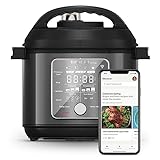
1) Instant Pot Pro Plus Wi-Fi Smart 10-in-1 (6 Qt) — Best “Set-It-and-Forget-It” Cooker
The Instant Pot Pro Plus 6QT is the one product in this list with reviewed manufacturer information for controls, dimensions, and cleaning. Instant Pot identifies model 112-0124-01 as 13.2 × 13.0 × 12.7 inches and describes a touchscreen with one-touch steam release; its app feature for remote steam control is optional. Before choosing it, make sure the intended user is comfortable with the touchscreen, understands the manual’s pressure-cooking instructions, and can manage the lid and hot inner pot safely.
- A programmed cooking appliance may reduce active counter work, but it still requires the supervision and handling specified in its instructions.
- Consider whether the meals the household already makes fit the appliance’s documented programs and capacity; meal results were not independently assessed here.
- Measure the available counter and storage space against the manufacturer’s listed dimensions before deciding whether it fits the kitchen.
- A sensible first-use approach is to read the manual, choose one familiar recipe, and keep the written instructions nearby rather than trying several modes at once.
- Weight and lid-handling effort were not verified for this exact model. The intended user should assess grip, reach, and safe placement before purchase.
- Consider for: a household that has confirmed the controls, counter clearance, and safe handling requirements are a good fit.
- Setup tip: after reviewing the official instructions, an adult child can write a short, accurate reminder for one routine the user has practiced successfully.
— Melissa R., Phoenix, AZ
2) COSORI Smart 12-in-1 Air Fryer Toaster Oven Combo (26QT) — Best Smart Countertop Oven

The exact model details for this listed countertop oven were not verified in the supplied evidence. A countertop format may be familiar to some cooks, but suitability depends on the actual controls, door operation, tray handling, exterior-clearance instructions, and counter height. Verify those points in the exact model’s manual before treating it as an easier alternative to a full-size oven.
- Confirm which programs and controls the exact model actually provides; a preset is useful only if the user can select and monitor it comfortably.
- Do not assume cooking modes from a product family name. Check the current exact-model documentation for supported functions.
- Cooking performance and oil use were not independently verified for this exact model.
- Measure the counter, required clearances, and door-opening space using the manufacturer’s exact-model instructions before buying.
- Follow the manufacturer’s placement, ventilation, hot-surface, and accessory guidance. Use appropriate protection when the instructions call for handling hot cookware.
- Consider for: someone who has confirmed that the exact oven’s controls, door, trays, and cleaning routine are manageable.
- Setup tip: practice one documented function at a time and keep the official quick-start information accessible.
3) MEATER Plus Smart Wireless Meat Thermometer — Best “No More Guessing” Helper
The supplied evidence does not verify the exact model, controls, alerts, cleaning method, or current availability of this thermometer. A thermometer can be worth considering for cooks who want a measured temperature rather than visual guesswork, but it should be used according to its instructions and current food-safety guidance. Confirm the probe’s intended use, app requirements, charging, cleaning, and safe temperature guidance before purchase.
- If the exact model offers alerts, confirm how they are delivered and whether the intended user can hear or see them reliably.
- A measured-temperature routine may reduce guesswork, but results depend on correct placement, monitoring, and the food being cooked.
- For meat and poultry, use current authoritative food-safety temperature guidance and the thermometer manufacturer’s instructions.
- Confirm whether the exact model requires a phone, tablet, account, Bluetooth, Wi-Fi, or an app for any feature the buyer expects to use.
- Check the exact manufacturer cleaning instructions; do not assume that a probe, charger, or case is dishwasher-safe.
- Consider for: a cook who is comfortable using a probe and has confirmed the device’s setup and care requirements.
- Setup tip: practice the notification process during a supervised meal so the user knows what the alert means and what action is needed.
— Daniel K., Columbus, OH
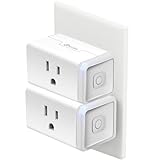
4) Kasa Smart Plug Mini (HS103) — Easiest Safety Upgrade for Small Appliances
The evidence supplied does not verify the exact Kasa plug model, its rating, controls, or current availability. A smart plug should never be selected merely to make an appliance run unattended. Before using any plug, verify its exact electrical rating, the connected appliance’s instructions, the home network requirements, and whether remote or scheduled operation is appropriate for that appliance.
- Confirm the exact model’s supported controls and setup requirements before relying on remote operation or schedules.
- A connected control is not a safety guarantee. A user should still follow normal shutdown and visual-check routines.
- Price, value, and gift suitability were not verified and can change; compare the exact current product and the recipient’s ability to set it up.
- Use only within the exact plug’s documented electrical limits and the connected appliance’s instructions. When uncertain, do not connect the appliance.
- Check whether the exact model needs Wi-Fi, an app, an account, updates, or ongoing support. If setup help is needed, plan it before gifting.
- Consider for: a household that has confirmed compatible, appropriate use and can maintain a clear safety routine.
- Setup tip: keep cords and outlets accessible, follow electrical safety guidance, and do not use schedules for an appliance unless its instructions explicitly support that use.
— David L., Tampa, FL
5) Anova Culinary Sous Vide Precision Cooker 2.0 (Wi-Fi) — Best for Tender, Low-Stress Cooking
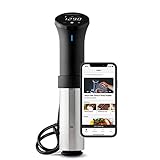
The supplied evidence does not verify the exact Anova model’s controls, dimensions, cleaning instructions, or current availability. Sous vide cooking involves equipment setup, water handling, packaging, time and temperature planning, and food-safety steps. It may suit a cook who wants to learn that routine, but it should not be presented as automatically easy to use for every senior.
- Texture outcomes were not independently verified for this exact model and depend on the recipe and method.
- Confirm the recipe’s timing and food-safety requirements; this method still requires planned preparation and safe handling.
- Consider whether the household has suitable workspace, storage, and willingness to follow the required preparation and cleanup steps.
- Verify the exact model’s compatible accessories and the manufacturer’s preparation guidance before purchase.
- Compare the documented recipe timing with the household’s routine rather than assuming a particular cooking duration.
- Consider for: an experienced or supported cook who has reviewed the method’s setup, safety, and cleanup requirements.
- Setup tip: begin only with a manufacturer-supported recipe and follow current food-safety guidance for the specific food.
— Karen S., Raleigh, NC
Buying Guide: How to Choose Smart Kitchen Devices for Seniors (2026)
When shopping for 5 smart kitchen devices for seniors, the most useful feature is often the one the person can use correctly without strain or confusion. “Easy to use” should mean more than a marketing label: the device should fit the kitchen, match the person’s usual cooking, and have an understandable start, stop, cleaning, and storage routine. Use the checks below for any model under consideration.
A. Prioritize safety first (then convenience)
- Timed cooking or shutoff: verify whether the exact model has this function and understand its limits. It does not remove the need to follow the manufacturer’s supervision instructions.
- Placement and heat: use the exact manual to confirm clearances, ventilation, surface requirements, and hot-surface precautions. Keep cords and handles positioned to reduce snagging or reaching.
- Stability: inspect the appliance on the intended counter. Do not assume feet, base design, or stability features without exact-model documentation.
- Choose a workflow the person can repeat. A feature is valuable only if the user can identify it, select it correctly, and know what to do when cooking is complete.
B. Make “easy to use” a real checklist
- Readability: view the actual control panel or official manual at a realistic distance. Check contrast, label clarity, display brightness, and whether glasses or task lighting are needed.
- Daily workflow: ask whether the user can start, pause, stop, and clean the device without assistance. Confirm whether an app, account, or network connection is required for basic operation.
- Lifting and reach: check the actual weight, grip points, lid or door movement, basket or pot removal, and the distance from the counter edge. If those details are not documented, assess them in person before buying.
- Cleaning: follow the exact manual. Confirm which parts may be washed, whether they are dishwasher-safe, what must be wiped by hand, and whether the user can safely clean the appliance after it cools.
C. Match the device to the senior’s habits
- If the person repeats a few meals, compare the device’s documented functions with those meals. Do not assume a preset produces a particular result without following the recipe and instructions.
- If distraction is a concern, favor a short routine, clear reminders, and supervision appropriate to the appliance. Do not use a smart plug as permission to operate an appliance unattended.
- If texture is important, review recipes and safe preparation methods for the foods the person actually eats. Product-specific performance claims require exact-model evidence.
- If the user prefers less technology, prioritize a device whose essential functions can be understood without optional connected features, if the exact model supports that approach.
D. Consider noise, light, and comfort
- Noise: check the manual or a live demonstration for alerts and operating sounds. Do not assume volume adjustment is available.
- Lighting and space: provide clear task lighting, an uncluttered work area, and enough room to set down hot or wet components safely.
If you want to improve the whole kitchen setup (not just gadgets), this practical internal guide helps: How to Organize a Senior-Friendly Kitchen.
E. Set it up once—then keep it simple
- If the exact model has connected features, do the first setup together. Confirm network, account, privacy, and update requirements from the manufacturer before depending on them.
- After the user has practiced a routine, create a short reminder that matches the official instructions for that exact model. Keep it near the appliance without blocking vents or controls.
- Use timers or schedules only when the exact appliance and control device documentation support that use, within all electrical limits. When instructions are unclear, choose manual operation and supervision.
Bottom line: the best choice is the device whose exact controls, handling, cleaning, and safety instructions fit the user’s real routine. A simpler appliance that is used correctly can be more useful than a feature-rich device that creates uncertainty.
FAQ: Smart Kitchen Devices for Seniors (2026)
1) Are smart kitchen devices actually safe for elderly people?
They can be appropriate when the exact appliance is used as directed and matches the person’s abilities and kitchen. Smart features do not make an appliance inherently safe and do not replace supervision, safe food handling, or the manufacturer’s instructions. For seniors, prioritize understandable controls, manageable parts, and a routine the person can follow confidently.
2) Do seniors need a smartphone to use these devices?
Not always. Requirements differ by exact model. Before buying, verify whether basic operation needs a phone, tablet, account, Bluetooth, Wi-Fi, or an app. If the person does not want to use a phone, choose only a model whose documented everyday workflow they can complete without one.
3) What’s the easiest “smart” upgrade if my parent is not tech-savvy?
Start with the person’s existing routine, not a product category. The easiest upgrade is one with documented controls they can operate, manageable cleaning, and no unsupported setup burden. A smart plug is appropriate only when both the plug and connected appliance explicitly support the planned use.
4) How do I choose between a smart multicooker and a smart countertop oven?
- Consider a multicooker only after confirming its exact programs, capacity, lid handling, pressure or heat instructions, cleaning process, and the user’s comfort with those steps.
- Consider a countertop oven only after confirming counter clearance, door and tray handling, hot-surface precautions, controls, and cleaning requirements for the exact model.
5) Can smart devices help with memory issues or distraction?
They are not medical tools and should not be relied on to manage memory or attention concerns. A timer or alert can be a useful reminder when the exact model provides it, but the household should keep appropriate supervision and choose an appliance routine that remains safe if an alert is missed.
6) What setup tips make these devices more senior-friendly?
- Review the exact manual together before first use, including placement, controls, cleaning, and any Wi-Fi or app setup.
- Practice one familiar task at a time; use only documented functions the person understands.
- Keep a short reminder near the appliance only after checking that every step matches the exact manufacturer instructions.
- Improve the overall kitchen environment (lighting, clutter-free counters). This guide can help: How to Organize a Senior-Friendly Kitchen.
Conclusion: The Best Smart Kitchen Devices for Seniors in 2026
If you are choosing from this 5 smart kitchen list, focus on what will be used correctly every week. Start with the person’s most common meal, available counter space, ability to lift or reach, and willingness to clean the device. Then verify the exact model’s manual and current listing. The products with incomplete verification in this article should be treated as prompts for further research, not as confirmed recommendations.
Start with one device only after the intended user has considered controls, lifting, cleaning, setup, and safe placement. For seniors and adult children alike, an easy to use choice is one that supports a familiar routine without adding avoidable complexity. Confirm current availability and the exact model before purchasing.
Pick one “easy win” today and make cooking calmer in 2026.
Want to make the entire space more senior-friendly—not just the gadgets? Don’t miss this practical guide: How to Organize a Senior-Friendly Kitchen.