
⭐ Introduction
Shopping for a microwave shouldn’t feel like learning a new gadget every time you want to reheat soup. For many older adults, small keys, low-contrast labels, and “busy” control panels can turn a simple task into a daily annoyance. That’s why large-button microwaves for older users are such a smart upgrade: bigger, clearer buttons are easy to use, reduce mis-presses, and make cooking more comfortable for hands that may feel stiff or shaky.
In this guide, I’m focusing on microwaves that are genuinely senior-friendly—models designed to be safe and practical for seniors. Think: readable displays, straightforward presets (like “Add 30 Seconds”), doors that open smoothly, and controls that don’t require a strong grip or perfect eyesight. If you’re buying for Mom or Dad, these features also mean fewer “kitchen accidents,” fewer spills, and more independence—without sacrificing everyday convenience.
Quick summary: This article compares large-button microwaves that are easy to read, easy to press, and safe for seniors—highlighting controls, usability, and everyday reheating performance.
What “Large-Button” Should Mean in Daily Use
A senior-friendly microwave is not defined by one oversized Start button. The full control sequence should be easy to see, understand, press, and repeat. A useful model has high-contrast labels, tactile separation between keys, a bright display, a handle or door release that does not demand painful grip strength, and simple ways to add or stop cooking time.
Because product designs change, evaluate the exact model and control panel you will receive. Retail photos, manuals, and in-store demonstrations are more reliable than assuming every version in a product family has the same buttons.
Quick Buying Checklist
- Readable controls: Large text, strong contrast, and no important labels hidden in glossy reflections.
- Simple sequence: One-touch time presets or a clear number pad, plus obvious Start and Stop/Cancel controls.
- Tactile feedback: Keys or a dial that can be located and pressed without perfect fingertip accuracy.
- Visible display: Bright digits large enough to read from the user’s normal standing or seated position.
- Manageable door: A handle or release that the intended user can operate comfortably.
- Interior visibility: A light and window that make it easier to monitor food.
- Stable placement: Nonslip feet and enough counter clearance for ventilation.
- Helpful alerts: Audible signals that can be heard; a mute option may help users sensitive to noise.
Controls: Dial, Keypad, or One-Touch?
Large dial
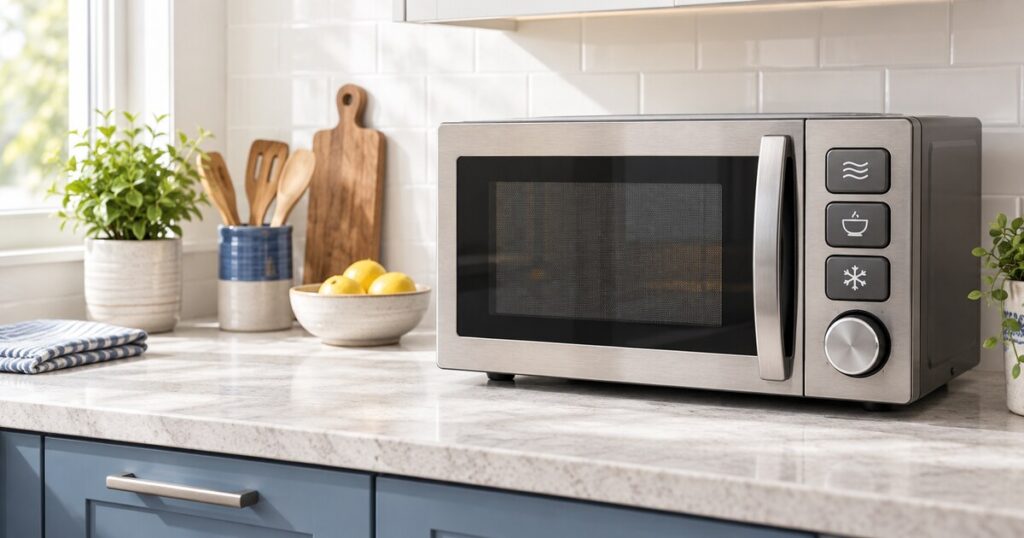
A textured dial can be easier for someone who misses small flat keys, especially when the microwave starts after one or two actions. Check whether turning requires wrist strength and whether the display clearly shows the selected time.
Number keypad
A keypad gives precise control but can become confusing when secondary functions share the same buttons. Look for spacing, contrast, and a logical layout. Tactile dots can help locate a reference key if they do not cover labels or interfere with cleaning.
One-touch presets
Presets are useful only when their purpose is obvious. A clearly labeled “30 seconds” or “1 minute” control is often more practical than many food-specific buttons. Memory presets can help, but a caregiver should write down the steps needed to change them.
Choose the Right Size and Placement
Measure the counter width, depth, and overhead clearance before shopping. Follow the manufacturer’s ventilation instructions and keep the plug accessible. Compact models are easier to fit, but the dinner plate or handled mug still needs to rotate freely. Record the largest plate diameter and the height of the user’s usual covered bowl.
Place the microwave so the user can see the food and display without standing on tiptoe. The safest position usually lets a hot container move sideways onto an empty landing area instead of being carried across the kitchen. An over-the-range microwave may be difficult for a shorter or seated user and can make hot spills more dangerous.
Door and Grip Test
If possible, have the intended user open the display model several times. A pull handle may provide room for the whole hand, while a push release can be easier for some people with limited finger motion. Neither style is universally best. The door should open without pulling the appliance forward, and the user should not need to brace against the counter.
Safety Features Worth Prioritizing
- A prominent Stop/Cancel control that immediately ends cooking.
- A child/control lock if accidental activation is a realistic concern—and an unlock sequence the caregiver can manage.
- A completion reminder that does not require navigating a complex menu.
- Clear power-level feedback for foods that should not be heated at full power.
- A manual that explains minimum clearances, suitable cookware, cleaning, and troubleshooting.
No feature replaces safe containers and supervision when needed. Do not heat sealed containers, metal, or items not approved for microwave use. Allow steam to escape away from the face, use dry oven mitts, and stir food to reduce hot spots. Heating pads and similar products must follow their own instructions exactly.
Make Any Microwave Easier to Use
A high-contrast instruction card can reduce errors. Write only the two or three routines used most often, such as “reheat lunch” and “warm a drink,” in large print. Place the card beside the microwave rather than on a vent. Removable tactile markers may identify Start and Stop, but they must not block text or prevent the panel from being cleaned.
Good lighting is equally important. Add glare-free task lighting if the control panel sits in shadow. Keep the landing area empty and store a microwave-safe lid and lightweight mitt nearby. Review the setup after any change in vision, hearing, hand strength, memory, or balance.
Questions to Ask Before Ordering
- Can the user read the panel in an unedited customer photo?
- How many button presses are needed for the most common task?
- Will the usual plate and mug fit?
- Can the door be opened with the user’s comfortable grip?
- Is there a safe, level counter location with the required clearance?
- What is the return policy if the controls are uncomfortable in person?
Frequently Asked Questions
Are touchscreens a good choice for seniors?
They can be, but flat glossy panels offer little tactile guidance and may be hard to read in glare. Physical buttons or a dial are often easier when vision or fingertip accuracy is limited.
Is more wattage always better?
No. Higher power may cook faster, but familiar controls, suitable size, and predictable results matter more. Follow package and recipe directions for the microwave’s actual wattage.
Should I choose an over-the-range model?
Only if the intended user can safely reach it and transfer hot food. Countertop placement is often more accessible because the controls and landing area can be kept between waist and shoulder height.
Next step: Use the senior kitchen safety checklist to review placement, cords, lighting, and the hot-food landing area.