
This article contains affiliate links. As an Amazon Associate I earn from qualifying purchases.
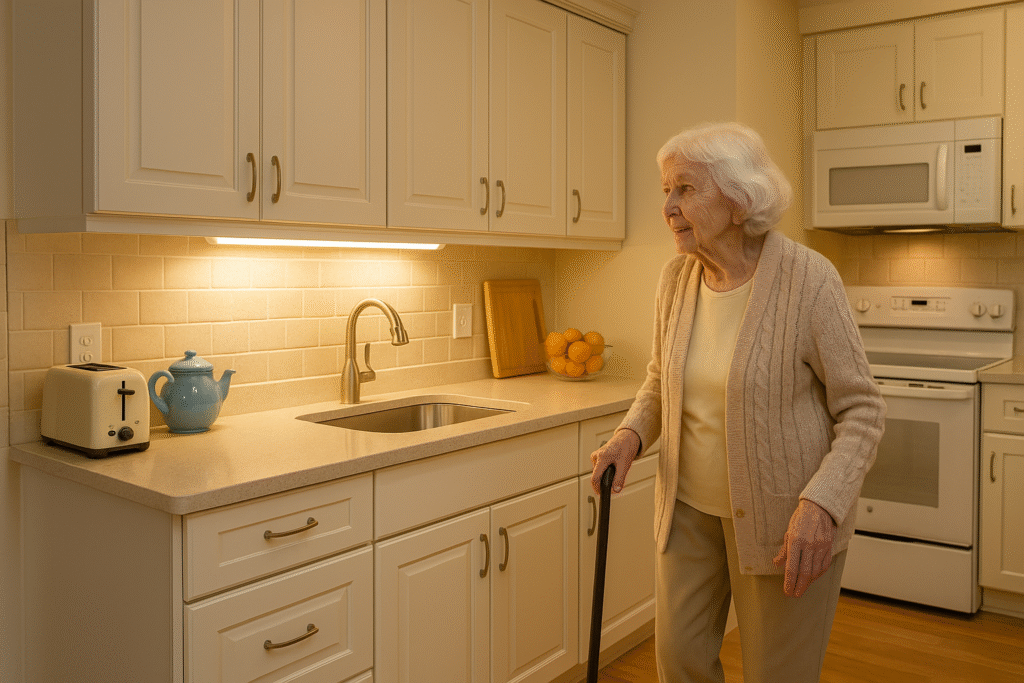
As our loved ones age, navigating the kitchen—especially in the dark—can become risky. Poor visibility often leads to slips, misplaced items, or minor injuries that can escalate into major health concerns. This is why having reliable lighting is not just a convenience but a safety necessity for seniors. Motion sensor lights are one of the best solutions for elderly-friendly kitchens. They automatically illuminate the area when motion is detected, eliminating the need to fumble for switches.
Whether you’re an adult child looking for a thoughtful gift for aging parents or a senior seeking safer living, this guide presents the best motion sensor lights that can make kitchens more secure and accessible.
📎 Comparison Table: Top Motion Sensor Kitchen Lights for Seniors
| Product | Type | Key Features | Why It’s Great | Amazon |
|---|---|---|---|---|
| Daymeet Under Cabinet Light | Plug-in Strip | 3 Color Modes, USB-powered, PIR Sensor | No battery hassle, bright under cabinets | 🛒 Check Price on Amazon |
| SOUL LINK Rechargeable Light | Magnetic Rechargeable Bar | USB-C Charging, Dimmable, 4 Brightness Levels | Easy to install & remove for charging | 🛒 Check Price on Amazon |
| MCGOR 10″ Bar Light | Rechargeable Bar | 5 Brightness Levels, 1800mAh battery | Soft light ideal for aging eyes | 🛒 Check Price on Amazon |
| EZVALO 3‑Pack Bars | 3× USB-C Bars | 3 Color Temperatures, 3 Modes | Good coverage in drawers & shelves | 🛒 Check Price on Amazon |
| VYANLIGHT LED Strip | Battery Strip | 9ft PIR, Adhesive Backing | No wiring, ideal for renters | 🛒 Check Price on Amazon |
| Annaror Motion Ceiling Light | Hardwired Ceiling | 2400lm, Motion+Timer, Selectable Color Temp | Overhead light, switch-free | 🛒 Check Price on Amazon |
🔍 Detailed Reviews of the Best Motion Sensor Lights for Elderly Kitchens
1. Daymeet Under Cabinet Light
The Daymeet Under Cabinet Light is one of the best plug-in options for seniors who want constant brightness without the hassle of recharging. Confirm the color modes, power connection, and sensor range for the exact version shown in the product listing. Position the sensor where it can detect someone approaching the work area, then check the light with the cook standing in their usual position.
- Pros: Always connected to power, no need for battery changes, soft diffused light, multiple color modes
- Cons: Requires nearby power outlet, may not be suitable for cabinet interiors
- Best For: Seniors who want dependable, long-term lighting without worrying about charging or battery replacement
2. SOUL LINK Rechargeable Bar Light
A removable rechargeable bar can suit a kitchen where installing a new power connection would be inconvenient. Check the exact SOUL LINK model for its charging connector, brightness controls, and mounting method. Actual battery life depends on brightness, activation frequency, and how long the light stays on; plan a charging routine instead of assuming a fixed runtime.
- Pros: Wireless setup, magnetic back, excellent battery life, simple tap to control or motion activation
- Cons: Needs periodic recharging, not ideal for long-term overhead lighting
- Best For: Independent seniors looking to light drawers, pantries, or under-cabinet spaces
3. MCGOR 10″ Rechargeable Light
With 5 brightness levels and a sleek 10-inch design, the MCGOR Rechargeable Light bar is an excellent choice for older users who prefer control and customization. Battery runtime depends on the selected brightness and activation pattern. Check the diffuser from the user’s standing or seated position; a light that feels comfortable for one person can still produce glare for another.
- Pros: Soft, adjustable lighting, extended battery life, USB-C fast charge
- Cons: USB cable not included, some users may forget to recharge
- Best For: Seniors needing a glare-free workspace light for daily use
4. EZVALO 3-Pack Magnetic Bars
For those who want to cover more surface area or illuminate several cabinet sections, the EZVALO 3-pack offers excellent value. Each bar has 3 lighting modes and 3 color temperatures, making them versatile and adaptable to various kitchen layouts. Confirm the charging connection and mounting arrangement for the exact pack. A removable light is useful only when the person can reach it safely, or a helper can handle charging.
- Pros: Multi-zone coverage, flexible lighting modes, easy recharge
- Cons: Shorter length per bar, may require frequent charging if used heavily
- Best For: Aging users with larger or segmented kitchen spaces
5. VYANLIGHT LED Strip
The VYANLIGHT LED strip offers a simple, adhesive-based motion light that sticks under shelves, in pantries, or near stairways. The motion sensor is highly responsive and activates in low light conditions only, helping save battery. Check the exact battery type and quantity before purchase. Changing batteries can require fine finger movements or reaching underneath a cabinet, so agree who will maintain the light.
- Pros: No charging needed, quick install, perfect for renters
- Cons: Requires replacing batteries, not very bright for large areas
- Best For: Budget-conscious buyers or seniors who need quick, occasional lighting
6. Annaror Motion Ceiling Light
If your elderly loved one needs strong general lighting in the kitchen, the Annaror ceiling-mounted motion sensor light is a top-tier choice. Check the exact fixture’s light output, color settings, installation requirements, and timer options. A ceiling fixture can improve general visibility, but it still needs to work with the existing room lighting and task lights. It turns on automatically when someone enters, and turns off after a set time—no wall switch required.
- Pros: Ultra-bright, excellent for large kitchens, reliable motion activation
- Cons: Requires professional installation, not portable
- Best For: Seniors who spend a lot of time in the kitchen or live in shared family homes
📚 How to Choose Motion Sensor Lights for Seniors
- Brightness: Look for adjustable or soft lighting to reduce glare and eye strain.
- Ease of Use: Rechargeable lights with magnetic mounts are best for seniors.
- Installation: Avoid wired models unless installed professionally.
- Motion Sensitivity: Ideal detection range is 8–20 feet.
- Color Temperature: Choose warm white (2700–3000K) for a cozy feel.
❓ Frequently Asked Questions
- Can I install these without tools?
- Yes. Most rechargeable and battery-powered lights come with magnetic or adhesive mounting.
- Do they only work in the dark?
- Most have day/night sensors. You can set them to motion-only in the dark.
- What if my parent forgets to recharge?
- Runtime varies by product and use. A plug-in or professionally installed wired light avoids a charging routine, but its controls and placement still need checking.
- Is battery or USB better?
- Choose the power source the household can maintain reliably. Rechargeable lights need charging; replaceable batteries need changing; wired lights need suitable installation.
- Do motion lights stay on constantly?
- Many have automatic shutoff, while some also offer an always-on mode. Check the exact model’s timer and test whether it stays on during stationary tasks.
🎯 Final Thoughts
The MCGOR 10″ Rechargeable Bar Light is our top pick for its soft glow, long battery, and magnetic ease. It can be a practical addition to a broader kitchen lighting plan; no individual light can guarantee that accidents will be prevented.
If you’re considering a small home improvement for safety, motion sensor lights are an excellent, affordable step forward.
See More Motion Lights on Amazon
Also explore our related guides:
Best Air Fryers for Seniors |
Safe Electric Kettles for Seniors
📚 How to Choose the Best Motion Sensor Lights for Elderly Kitchens
When buying motion sensor lights for seniors, it’s important to consider physical comfort, ease of use, and safety features. Below are several key factors to guide your purchase decision:
1. Power Source
Rechargeable USB-C lights are ideal for seniors because they eliminate the need for frequent battery replacements. Runtime and removal effort vary by model. Test the release mechanism and put charging on a schedule that fits the household. Alternatively, plug-in lights ensure uninterrupted lighting and zero maintenance, while battery-powered lights are suitable for those who prefer no cords or wiring at all.
2. Installation Type
Choose magnetic or adhesive-backed lights for tool-free setup. Many seniors may not have the ability or strength to use drills or screws. Magnetic lights allow easy repositioning and quick charging, making them ideal for mobility-limited users.
3. Light Output and Color Temperature
Opt for lights with adjustable brightness or at least 100–300 lumens for under-cabinet use. For ceiling fixtures, the required output depends on the room, existing lights, and placement; ask the installer to assess the whole space. Warm white tones (2700K–3000K) are softer on aging eyes, while cool white (4000K+) may enhance visibility in detail-heavy tasks like food prep.
4. Motion Detection Sensitivity
A good PIR (Passive Infrared Sensor) should detect movement from at least 8–15 feet away. Some advanced models even include day/night detection modes and programmable timers, giving seniors full hands-free lighting without unintended activation.
5. Safety and Ergonomics
Lights with rounded corners, non-glare surfaces, and simple touch controls are best suited for seniors with arthritis or visual impairments. Automatic shutoff also helps prevent energy waste and keeps the home more energy-efficient.
❓ Frequently Asked Questions About Motion Sensor Lights for Seniors
Can these lights really help prevent falls in the kitchen?
Lighting can help someone see a route and find controls, but a motion light does not guarantee fall prevention. Keep the floor clear, retain dependable room lighting, and assess the user’s vision and mobility needs alongside the lighting plan.
How often do rechargeable lights need to be charged?
Charging frequency depends on brightness, activation frequency, timer duration, and battery condition. Observe the first week of normal use, then set a reminder before the light becomes unreliable. Follow the model’s charging instructions.
Will adhesive mounts damage cabinets or paint?
Adhesive compatibility depends on the finish and the mounting material. Read the mounting instructions and test an inconspicuous area where appropriate. However, for delicate finishes, use magnetic-backed options or mount lights on surfaces like undersides or pantry walls.
Can seniors install these without assistance?
Some models use adhesive or magnetic mounts, but reaching underneath a cabinet can still require assistance. Ask a helper when access is awkward. A qualified professional should handle hardwired fixtures.
Are motion sensor lights better than smart bulbs for the elderly?
It depends on the person’s preferences. A simple motion light avoids app setup, while someone already comfortable with voice controls may prefer a smart bulb. Both systems should provide an understandable way to keep the light on when needed.
🎯 Final Thoughts – A Bright Step Toward Safety
We often think of home upgrades in terms of style, but for aging parents, the right lighting can be useful. Installing motion sensor lights is a low-cost improvement that provides both safety and peace of mind. No more fumbling in the dark or navigating dim hallways and kitchen counters.
If you’re looking for the best overall solution, the MCGOR 10″ Rechargeable Bar Light stands out. It’s glare-free, energy-efficient, and so simple to use that even those with reduced dexterity or vision will find comfort in its design.
For seniors who prefer a permanent solution, the Annaror Motion Ceiling Light transforms a kitchen into a well-lit, better-lit environment. It’s an ideal gift that shows care and foresight.
Still unsure? Explore even more top-rated motion lights below:
Test the Light During a Real Kitchen Routine
A sensor that works when someone walks past may behave differently while that person stands still to make tea or prepare food. Before choosing permanent mounting positions, try the light during one familiar task. Start at the kitchen entrance, walk to the counter, find the mug, fill it, and return it to its usual place. Notice where the light turns on and where the user’s body casts a shadow. The goal is a usable work surface and a clear route, rather than simply a brighter patch underneath a cabinet.
Check the sensor while the cook remains at the counter without making large movements. If it switches off during the task, look for a suitable always-on setting or use another dependable task light. Avoid placing the user in a situation where they need to wave a hand while holding a hot drink or a knife. Keep the existing room light available, and show everyone how to operate both systems before relying on the new arrangement.
Check Glare, Reach, and Maintenance Together
Stand or sit where the person normally works and look toward the countertop, sink, and appliance controls. A visible row of LEDs or a reflection on a shiny counter may feel uncomfortable even when the surrounding area is well lit. Try a different position or a lower brightness setting if available. Check the result with the person who will use it; their comfort matters more than how the installation looks in a photograph.
For a rechargeable model, practice removing the light and reconnecting the charging cable while it is still easy to reach. Decide where the cable will live and who will put the light back afterward. For a replaceable-battery model, check whether opening the compartment requires a small latch, a screwdriver, or two hands. A family member can take responsibility for these jobs when the owner cannot perform them comfortably. Do not use a chair or an unstable surface to reach the light.
Make the First Week a Trial Period
After installation, revisit the setup during daytime and nighttime use. Ask whether the light activates early enough, whether it stays on long enough, and whether the controls remain easy to understand. Check that a charging cable does not cross a walking route and that the mounting plate remains secure. If adhesive is used, follow the manufacturer’s preparation and curing instructions before attaching weight to it. Inspect the mount again after the first few days.
Keep a short note of the brightness setting, operating mode, and charging or battery-change date. This helps a caregiver reproduce a comfortable setup after cleaning or maintenance. If the new light adds confusion or repeatedly switches off at inconvenient moments, revise the arrangement with the user. A steady task light may be a better fit in that location, while motion activation can remain useful along the approach to the kitchen.
🛠️ Tips for Maintaining Motion Sensor Lights
- ✅ Recharge battery-operated lights every 3–4 weeks, depending on usage
- ✅ Clean light covers monthly to maintain brightness and sensor accuracy
- ✅ Replace AAA batteries for battery-powered lights every 2–3 months
- ✅ Test motion sensitivity and reposition if it doesn’t trigger easily
- ✅ For ceiling-mounted lights, schedule annual bulb checks or ask family members for help
⚠️ Who Might Not Benefit from Motion Sensor Lights?
While motion sensor lights are extremely helpful for most seniors, they may not be ideal in every case. For example:
- Seniors with pets: Frequent movement from cats or dogs can activate the light unnecessarily and cause confusion or sleep disruption at night.
- People with extreme light sensitivity: Those with certain neurological conditions may prefer consistent ambient lighting instead of lights that turn on/off automatically.
- Individuals with cognitive decline: In late-stage Alzheimer’s or dementia, changing lighting conditions may be confusing. A consistent lighting plan may work better in those cases.
In such situations, consult with a caregiver or occupational therapist to determine the best lighting strategy.
💡 Extra Tips to Improve Kitchen Safety for Seniors
Aside from motion sensor lights, consider these low-cost upgrades to further reduce risks in the kitchen:
- Non-slip rugs: Replace area rugs with slip-resistant mats to prevent falls.
- Lever-style faucets: Easier to operate for those with arthritis than twist knobs.
- Automatic shutoff appliances: Look for kettles, cookers, and hotplates with built-in timers or shutoff features.
- Cabinet lighting: Combine motion lights with drawer lights to reduce eye strain when accessing utensils.
- Declutter: Keep commonly used items on lower shelves to avoid overreaching.
Small improvements like these, along with smart lighting, create a much safer and more functional kitchen for elderly users.
🔗 Explore More Resources for Senior Kitchen Safety
Improving lighting is just one part of making a kitchen safer. Explore our other guides below to help aging loved ones maintain independence at home:
- Top Air Fryers for Seniors – Simple, Safe Cooking
- Safe Electric Kettles for Elderly Hands
- How to Organize a Senior-Friendly Kitchen
By combining the right tools with thoughtful design, your parent or loved one can enjoy cooking again—safely and confidently.
📦 Bonus: Step-by-Step Guide to Installing Motion Sensor Lights
One reason motion sensor lights are great for seniors is their ease of installation. Here’s a simple guide:
- Step 1: Choose the Location
Pick areas that need more visibility—under cabinets, pantries, near the sink, or hallways leading into the kitchen. - Step 2: Clean the Surface
Wipe the surface with a damp cloth and dry it to ensure the adhesive or magnet will hold well. - Step 3: Mount the Light
If the light has adhesive backing, peel and press firmly. If it’s magnetic, attach the metal plate and let it bond naturally. - Step 4: Set Motion Mode
Most lights offer multiple settings like auto (motion), always-on, or off. Choose “auto” for motion activation at night only. - Step 5: Test in Darkness
Dim the room and walk into the sensor range to test responsiveness. Adjust angle or position if needed.
Allow enough time to follow the mounting instructions and test the finished setup. Installation time depends on access, surface preparation, and the product.
🧠 Smart Bulbs vs. Motion Sensor Lights: What’s Right for Seniors?
There’s a growing market for smart lighting using voice assistants or apps. But is it really better than motion sensor lighting for seniors?
| Feature | Smart Lighting | Motion Sensor Lights |
|---|---|---|
| Setup Complexity | Requires Wi-Fi, app, pairing | Simple adhesive or magnetic install |
| Hands-Free? | Yes (voice or app) | Yes (auto on/off) |
| Senior-Friendly? | Low for non-tech users | High—no learning curve |
| Cost | Depends on the bulb and any required controller | Depends on the exact light and pack size |
| Reliability | Depends on internet | Independent of internet |
For most seniors, motion sensor lighting offers a better balance of simplicity, affordability, and safety.